The Offline-First Digital Vault Protocol: Securing Your Legacy
The Case for Digital Sovereignty
In an era where we trust our most precious documents, photos, and creative projects to corporate clouds, we often overlook the fragility of this arrangement. Accounts get locked, terms of service change, and data centers go offline. The Offline-First Digital Vault Protocol is designed to grant you total control over your digital legacy, ensuring that your data remains accessible even if the internet ceases to exist for you tomorrow.
This protocol is not about abandoning the cloud entirely; it is about creating a hierarchy of data. Your cloud storage should function as a temporary distribution layer, while your physical, offline vault serves as the permanent, immutable record. By establishing a rigid, automated routine for local backups, you eliminate the anxiety of 'platform risk' and gain peace of mind knowing your digital life is physically in your hands.
Phase 1: Selecting Your Hardware Infrastructure
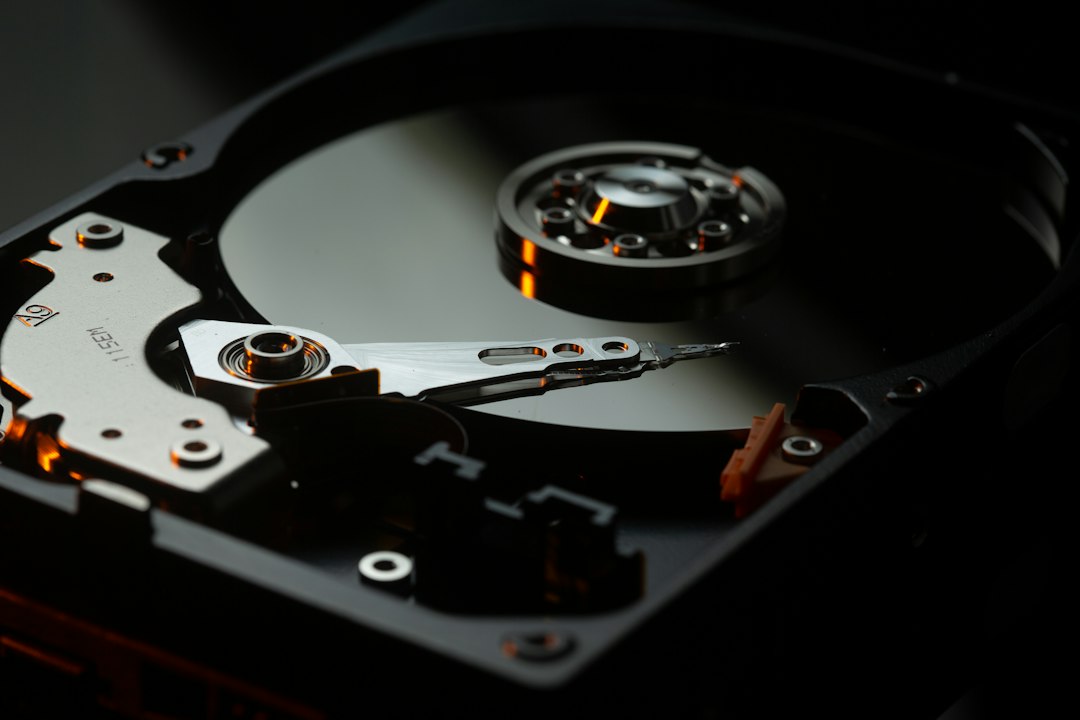
You cannot build a reliable vault on a single point of failure. The goal is to implement a 3-2-1 backup strategy: at least three copies of your data, on two different media types, with one copy stored off-site. For most, this means a combination of a high-capacity Desktop Hard Drive (HDD) for your main vault and a secondary Solid State Drive (SSD) or encrypted USB drive for your portable 'active' archive.
- Choose high-quality drives with at least double your current data capacity to allow for growth.
- Ensure you have a dedicated docking station to minimize wear on drive ports.
- Invest in high-quality hardware encryption tools, such as AES-256 bit software or hardware-encrypted drives, to protect against physical theft.
Your digital archive is only as good as its physical integrity. Avoid leaving drives in humid environments or areas prone to high temperature fluctuations, as these factors significantly degrade the life of mechanical hard drives over time.
Phase 2: The Data Triage and Organization Protocol
Before moving data into your vault, you must purge the digital clutter. A vault filled with duplicated installers, low-resolution memes, and temporary cache files is useless. Use a standardized folder structure (e.g., Year/Category/Project) to ensure that even a decade from now, you can navigate your files without needing specialized software indexes.
Apply the 'Clean Room' method: create a temporary staging folder on your computer where you aggregate files for a week. Once organized and verified, move them into the vault. This prevents you from simply dumping unorganized chaos into your long-term storage solution. Label every physical drive with a date and a brief contents summary using a permanent marker or physical labeler.
Phase 3: The Maintenance and Integrity Cadence
The most common mistake is creating a backup and forgetting it exists. Mechanical drives can 'seize' if they are left powered off for years at a time. Establish a strict calendar event—every 90 days—to verify your vault. Plug the drives in, run a quick disk utility check, and copy your latest files from your primary device.
Consider these essential steps during your quarterly audit:
- Check for 'bit rot': Use checksum verification tools to ensure that files haven't corrupted over time.
- Update your catalog: Maintain a simple text or spreadsheet file that lists the contents of every drive in your collection.
- Review physical integrity: Inspect cables, port connections, and the physical casing of your drives for signs of wear.
Avoiding Common Pitfalls
Do not succumb to the trap of 'silent failure.' Many users believe their data is safe because the drive still spins, but the file system may be corrupted. Always use reliable file-syncing software that verifies data parity, such as FreeFileSync or rsync, rather than simple drag-and-drop actions, which can skip files without warning if a transfer errors out.
Another common mistake is storing your only backup in the same room as your primary computer. If a fire or flood occurs, both are lost. Always keep one copy of your vault in a fireproof safe or at a trusted friend or family member's house. Physical separation is the only way to guarantee survival against catastrophic local events.
Ultimately, this protocol is about the transition from being a passive consumer of digital services to an active steward of your personal history. By investing in a localized, redundant, and routinely audited vault, you transform your data from a fleeting digital signal into a tangible, durable asset that can withstand the test of time.